Website concepts

Three directions for Right 1 Group

Same company, three different ways of presenting it. Open each one, look at it on your phone as well as your computer, and tell us which one feels most like the business.

Worth knowing before you look. These are concept pages. The photography and the reviews are placeholders and are labelled as such on the page, the prices on the site security section are deliberately blank until you give us your real ones, and the enquiry forms are demos that do not send anything. Nothing here is indexed by Google.

The new one

Version 3, built 27 August 2026 from the call

Version 3 preview
Version 3  /  Projects

The one built from what you said

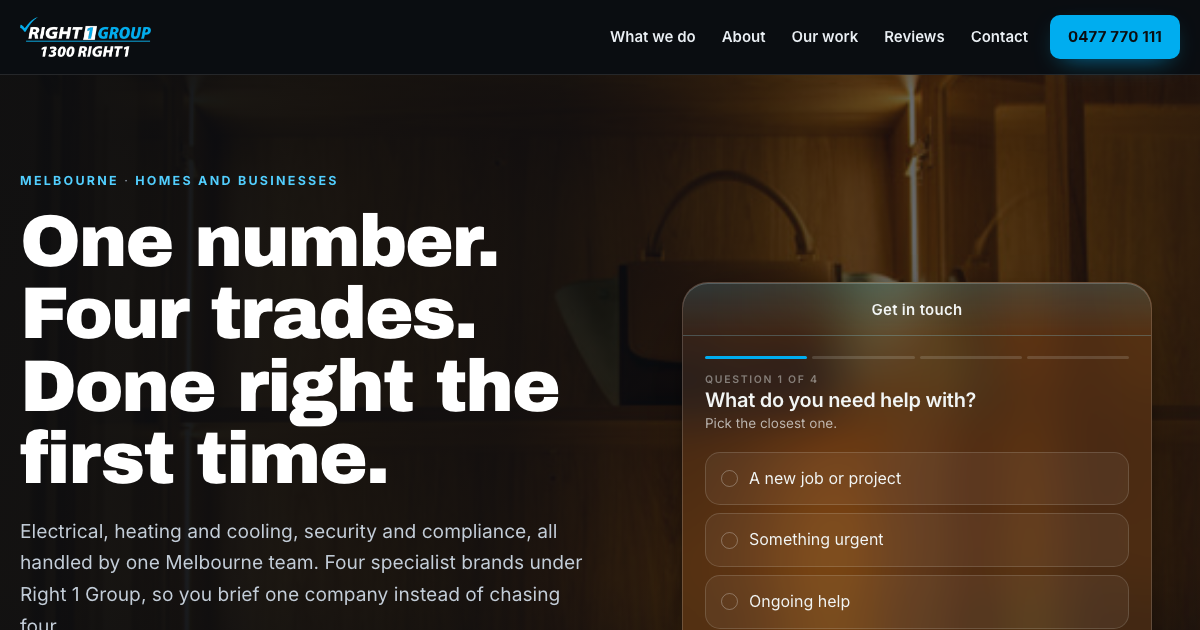
Everything under one Right 1 Group brand, with the divisions sitting underneath it rather than four names competing. Electrical leads, security is second, EV gets its own block, and heating and cooling is there without being pushed.

  • A rolling slideshow of project photos runs across the whole first screen, which is the thing you asked for
  • The work is a numbered project index, so it reads like a portfolio rather than a service list
  • Site security poles are shown as products with a price line, the side of the business nobody can currently find
  • Four quick questions in the hero sort a real job from a look around before you ever pick up the phone
Open version 3

Earlier directions

Built 14 and 18 August 2026, before the call

Version 1 preview
Version 1  /  The Group

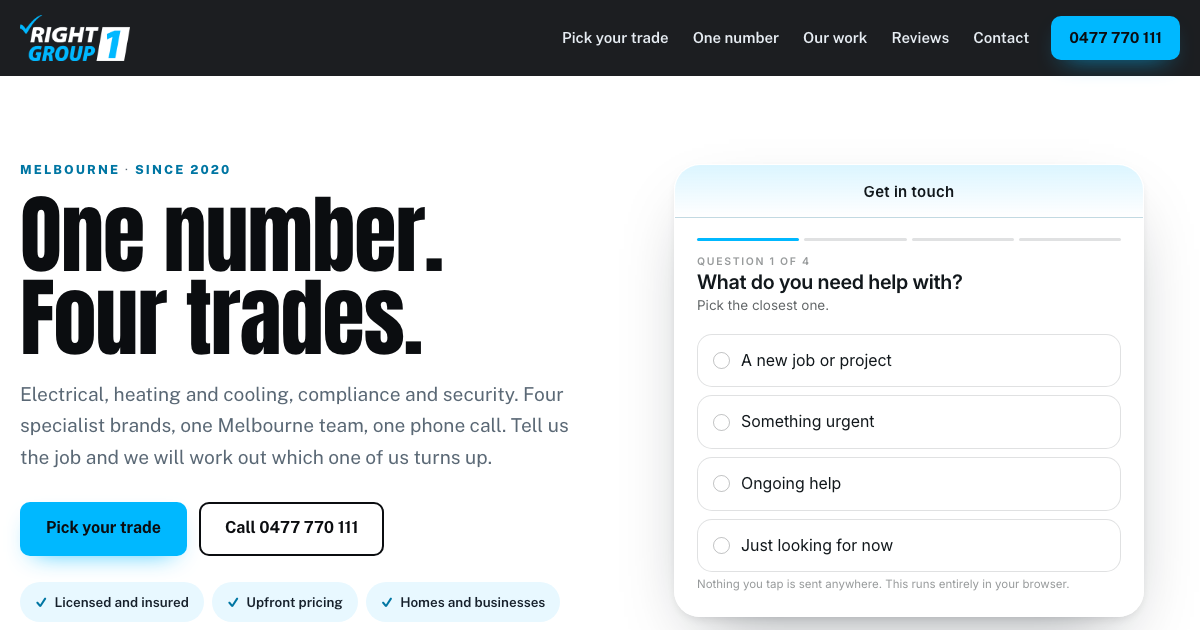
Four brands, equal billing

Dark and structured, built around one number reaching four separate trades. Each division gets the same weight on the page.

  • Strongest if all four sides of the business matter equally
  • Leads with the group rather than with the work
Open version 1
Version 2 preview
Version 2  /  Which Right

Light, and built to sort the caller

Bright and easy to read, with a picker up front that asks which of the four trades someone needs before anything else happens.

  • Best for homeowners comparing a few companies
  • Splits the traffic by trade before the enquiry
Open version 2
© 2026 Right 1 Group · Concept pages, not a live website. Website by Scalus

Side by side

What is different, point by point

Compared against right1.com.au as it stood on 27 August 2026

I went through your current site properly before I built anything, so the concepts are not a fresh coat of paint. Every point below is a real difference between what is on your site today and what is on those three pages above.

The search side of it is measured separately in the check underneath this.

01

The best line you have is hidden behind a Read More

Your site today

Four brands under one company is the whole reason someone would pick you over a single trade, and the sentence that says it, four specialised service areas, together under one dependable brand, is buried in the About paragraph behind a Read More link about halfway down the homepage. The headline at the top says Reliable Complete Service Solutions For Homes And Businesses, Melbourne, Australia, which is a description of a category, not of you.

In the concepts

Versions 1 and 2 lead with it directly. Version 3, built after the call on 27 August, does what you actually asked for instead: one Right 1 Group brand across the top with the divisions weighted underneath it, electrical first and largest, security second, EV with its own block. Either way it is the first thing on the page rather than the ninth.

02

Your own logo advertises a number your website never lists

Your site today

1300 RIGHT1 is printed on your logo. Search the whole website for 1300 and it is not there once, on any of the seven pages. Anyone who reads it off a van or a business card and then goes looking for it online finds nothing.

In the concepts

The 1300 sits with the mobile in the header, the footer and the contact block, so both numbers say the same thing everywhere.

03

The blue on your website is not the blue in your logo

Your site today

Your logo is a bright cyan. The website is built on a lighter, greyer blue, and the underlying colour settings are still the ones the page builder ships with out of the box, including a green that appears nowhere in your brand. Put the logo next to the header and you can see the two blues disagree.

In the concepts

Every concept is built on the exact blue sampled out of your logo file, so the site and the van finally match.

04

Your 5.0 is only inside a widget

Your site today

The rating and the review count are drawn in by a review widget after the page has loaded. Read the page itself and there is no 5.0 and no review count anywhere in it, so anything reading your homepage rather than looking at it never learns you are a five star business.

In the concepts

Versions 1 and 2 write the 5.0 and the review count into the page itself rather than leaving it to a widget, so anything reading the page rather than looking at it learns you are a five star business. Version 3 carries the same slots with the wording labelled as a placeholder on the page, because it was built the night before the call and your real reviews had not been pulled across yet.

05

There is no way to find out what a site security pole costs

Your site today

Site security is a real part of the business and it is not advertised anywhere. There is no page for it, no photograph of a pole, and no price for anything, so a builder who wants one has to ring and ask, and a builder comparing two suppliers online never finds you at all.

When it is built

Version 3 gives it a section of its own with the products listed as rows and a price column beside them. The numbers are deliberately blank until you give us the real ones, and the page says so, so nothing is invented. Filled in, it becomes the only place online where anyone can see what one of your poles costs.

06

Nothing you send in a message shows a preview

Your site today

None of the seven pages has a share image set. Paste right1.com.au into a text or a WhatsApp and the link arrives as a bare line with no picture, which is most of what decides whether somebody taps it.

In the concepts

Every concept has a real 1200 by 630 preview of its own homepage, so the link looks like the business before anyone opens it. You can test it right now by pasting both links into a message.

07

How much a phone has to carry

Your site today

The homepage pulls in 84 separate files and about 2.4 MB on a phone, and runs to roughly 9,400 pixels of scrolling. That is a slow first few seconds on mobile data, which is where most people meet you.

In the concepts

The concepts load a handful of files each and are built mobile first, so the page is usable in the first second.

08

Fourteen things on a phone are too small to tap

Your site today

On a 390 pixel phone your phone number and email in the top bar are 27 pixels tall, the three social icons are 30, and every link in the menu is 27. The accepted minimum is about 44. The quote form fields are between 40 and 50 pixels, under the 56 that forms convert best at.

In the concepts

Nothing on any concept is under 44 pixels, and every form field is 56, with the label floating up out of the field instead of stacking above it so the form stays short.

09

No page tells Google what the main heading is

Your site today

Not one of the seven pages has a main heading in the code. There are fourteen sub headings on the homepage and no top level one at all, so the single strongest on page signal you have is simply not being sent.

In the concepts

Every concept has one clear main heading, and it is the one that says what you actually do.

10

No page has a description written for it

Your site today

None of the seven pages has a description tag, so Google writes your search result for you out of whatever text it happens to find. You have no say in the sentence people read before they click.

When it is built

Each concept has its own written description. The build does the same for every page.

11

Nothing on the site is machine readable

Your site today

There is no structured data anywhere on the site, on any page. That is the bit of code that tells Google and the AI search tools that you are a local business in Melbourne, what the four services are, what your hours and area are, and that you are rated 5.0. Without it they are guessing from the text.

When it is built

The full structured data set is part of the build, which is most of what moves the AI search score in the check below.

12

Most of your photos are invisible to a search engine

Your site today

Across the seven pages there are 85 images and 72 of them have no description attached, including 13 of the 15 on the homepage. Image search and screen readers both work off that text.

When it is built

Every photograph on the concepts is described.

13

What is already working, and stays

Your site today

Tap to call is on every page, the quote form is on the page rather than hidden behind a contact link, the four brands each have their own page, and the sitemap and canonical tags are all in place. That is more than most sites we look at start with.

In the concepts

All of it carries straight over. None of the above is a rebuild from nothing, it is the same structure done properly.

14

A machine can tell what the business is

Your site today

There is no structured data on your homepage at all, so nothing on the page tells Google or an AI assistant that you are a business, what you do or where you work. It is the single biggest reason you are not quoted in an AI answer.

When it is built

The full stack goes on when the direction you pick gets built, the business itself, your services, your service area and your reviews, all linked together. The concept pages are demonstrations and are deliberately held out of search, so they do not carry it yet.

15

ChatGPT and the rest can actually read you

Your site today

Your site has no llms file and does not welcome the AI crawlers by name. ChatGPT, Claude, Perplexity and Google AI each read a site with their own crawler, so today they largely go past you.

When it is built

Every build ships an llms file that describes the business in its own words with a question and answer section, and a crawler list that names every current AI crawler as allowed. Detail is in the check below.

16

The questions people ask before they book

Your site today

Nothing on your site is published as question and answer data. Wherever you do answer a question, it is text on a page and nothing more, so an assistant cannot lift the answer and hand it to the person who asked.

When it is built

A question and answer set in your own words goes on the built site, published as data as well as text, so the answer can be quoted back to whoever asked.

17

Your reviews can be read back by a machine

Your site today

Your reviews are not published in a form a machine can read, so they cannot show as stars in a result or be quoted to someone asking for a recommendation.

When it is built

The built site publishes them with review data attached, so the same reviews you already have start doing work in search as well as on the page.

18

The line under your listing in Google

Your site today

Your homepage has no description tag, so Google writes the grey line under your listing for you out of whatever text it finds.

In the concepts

Every concept ships a written description on every page, so the words that sell you are the words that show.

19

Sharing the link shows something

Your site today

When your link is sent in a message or posted to Facebook it shows no preview card, just the address.

In the concepts

The concepts carry a share image, so the link arrives looking like your business.

20

How much has to load before anyone sees anything

Your site today

Your homepage pulls in 63 separate stylesheets and scripts before it can finish drawing, which is normal for WordPress with Elementor.

In the concepts

The concepts load 5. Speed is a ranking factor and it is the main reason people leave before they read anything.

Every line above was read off the pages themselves on 27 August 2026, both yours and the three concepts, so you can check any of it while we talk. The search and AI search side is measured in the check below.

Your website today

SEO & AI Search Check

Checked right1.com.au on 27 August 2026

Before any of the concepts existed I ran your current website through the same check I run on every Scalus site. It scored 56 out of 100 for how ready it is for Google, and 0 out of 100 for how ready it is for AI search.

That second number is the one worth talking about. It is not a measure of how the site looks. It is whether ChatGPT, Claude, Perplexity and Google AI overviews can read the site, understand what Right 1 Group does, and quote it when somebody asks them for a recommendation. At 0 out of 100 the answer today is mostly no.

In total 11 items came back needing attention. They are listed below in the order I would fix them, and every one of them is included in a Scalus build.

56
Overall health
Google search readiness
0
AI search readiness
ChatGPT, Claude, Perplexity
Search basics
The tags Google reads first.
68
Structured data
How machines understand the business.
0
AI search readiness
Whether answer engines can read and quote the site.
0
Site files
robots.txt, sitemap and llms.txt.
71
Technical health
HTTPS, headers and valid markup.
86

What I would fix

11 items
  1. Missing

    Meta description

    The description is the grey text under that headline. It is what makes someone click you instead of the next result.

    What I would do: Write a description for every page that says what you do and where.

  2. Missing

    Social share tags

    When someone shares your site in a message or on Facebook it will not show a preview card.

    What I would do: Add social share tags with a real image of your work.

  3. Missing

    Structured data

    This is the big one. There is no structured data on the site, so nothing on the page tells a machine that you are a business, what you do or where you are. It is the single largest reason AI search cannot quote you.

    What I would do: Add the full structured data stack for the business, the services and the reviews.

  4. Missing

    AI crawlers welcomed

    The AI crawlers are not welcomed by name. ChatGPT, Claude, Perplexity and Google AI each read the site with their own crawler, and if they are not named they may not read you at all.

    What I would do: Name every current AI crawler as allowed.

  5. Missing

    llms.txt

    There is no llms file. This is the file AI models read to understand a business in its own words, and almost no local business has one yet.

    What I would do: Add an llms file with a summary, your services, your area and an FAQ.

  6. Missing

    sitemap.xml

    There is no sitemap, so search engines find your pages by luck rather than by being told.

    What I would do: Generate a sitemap listing every real page.

  7. Weak

    Page title

    The page title is the blue headline Google shows in the results. Yours is not doing the work it could.

    What I would do: Write a title that names the service and the suburb.

  8. Weak

    Twitter card

    Shared links will not render a large preview image on some platforms.

    What I would do: Add the summary card tags.

  9. Weak

    Image filenames

    Your image filenames are camera codes rather than words, which is a free ranking signal going to waste.

    What I would do: Rename images to describe what they show.

  10. Weak

    Security headers

    Some standard security headers are missing. Not a ranking issue, but it is the sort of thing that gets a site flagged.

    What I would do: Add the standard security headers.

  11. Weak

    HTML validity

    The page code has validity errors, which can quietly break how a crawler reads it.

    What I would do: Clean up the markup errors.

Checked on 27 August 2026 with the same free checker at scalus.app/seo-geo-checker. Scores move as a site changes, so this is a snapshot of that day, not a permanent grade.